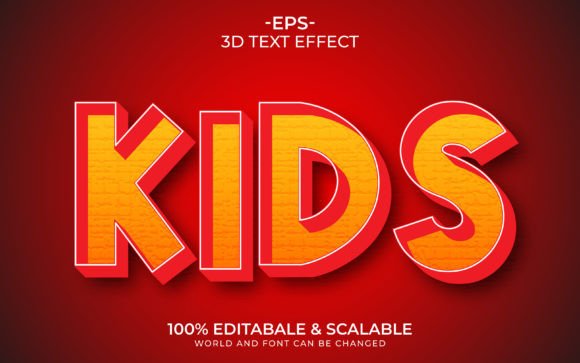
Kids 3D Text Effect Template Guide
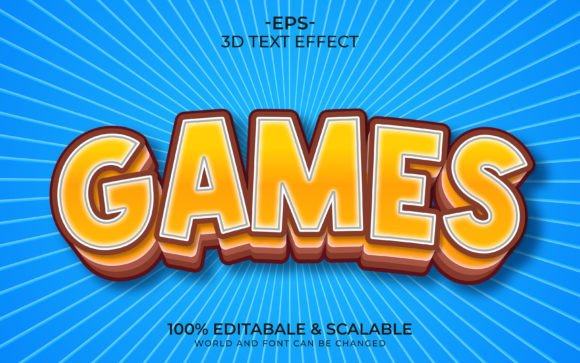
Creating visually engaging content for children’s projects often requires a delicate balance between playfulness and professionalism. Whether you are designing a birthday invitation, a classroom resource, or a product label for a young audience, typography plays a pivotal role in capturing attention. The Kids 3D Text Effect Template offers a streamlined solution for creators who need high-impact visuals without the steep learning curve associated with advanced graphic design software. This tool is not merely a collection of fonts; it is a comprehensive system designed to simplify the creation of dimensional, colorful, and appealing text elements.
For many professionals and hobbyists alike, the time required to manually construct 3D lettering from scratch can be prohibitive. By leveraging a pre-built template with smart object capabilities, users can achieve polished results in minutes rather than hours. This efficiency allows designers to focus more on the overall composition and messaging of their project, rather than getting bogged down in technical rendering details.
Streamlining Design with Smart Object Technology
The core advantage of this template lies in its use of Smart Object Replacement. For those unfamiliar with this feature, it acts as a dynamic container within design files that preserves the original data of an image or text layer. When you double-click the Smart Object layer, you can type your desired word or phrase, save the change, and the main document updates automatically. This process eliminates the need to manually adjust shadows, highlights, and perspective angles for every new word you create.
This functionality is particularly beneficial for entrepreneurs and small business owners who may not have extensive design training. The no skill requirement aspect means that a teacher creating worksheets, a parent organizing a party, or a marketer launching a new toy line can all produce consistent, high-quality graphics. The template handles the complex lighting and depth calculations, ensuring that every letter maintains the same professional standard regardless of the input text.
Versatility Across Digital and Print Media
One common misconception about digital templates is that they are limited to screen-based use. However, the Kids 3D Text Effect Template is delivered with high-resolution assets suitable for both digital and physical applications. With a resolution of 300 DPI (dots per inch), the output remains crisp and clear when printed. This makes the template an excellent choice for print-on-demand (POD) products, such as t-shirts, mugs, and stickers, where image quality directly impacts customer satisfaction.
Furthermore, the inclusion of multiple file formats enhances its utility across different platforms. The package typically includes EPS, PNG, and JPG files. The EPS format is vector-based, allowing for infinite scalability without loss of quality, which is ideal for large-format printing like banners or book covers. Meanwhile, PNG files with transparent backgrounds are perfect for web banners, social media posts, and digital presentations, allowing the 3D text to sit seamlessly over various background images or colors.
Customization and Creative Freedom
While templates provide structure, creativity requires flexibility. This specific template offers 100 editable fonts and words, giving users a broad palette to choose from. The ability to fully edit all words and fonts ensures that the final design aligns with specific brand guidelines or thematic requirements. Whether you need a bubbly, soft aesthetic for a baby shower or a bold, energetic style for a gaming channel, the variety included supports diverse creative directions.
It is important to note that while the template simplifies the 3D effect creation, the choice of color and font still rests with the user. This separation of concerns allows for personalized touches. For instance, a KDP (Kindle Direct Publishing) author designing a children’s book cover can select a font that matches the story’s tone while relying on the template to provide the eye-catching 3D pop that stands out in thumbnail views. The included help file serves as a quick reference guide, ensuring that even first-time users can navigate the editing process with confidence.
Practical Applications for Various Professionals
The utility of this template extends beyond simple decoration. For educators, it can transform mundane headings into engaging visual cues that help students focus on key concepts. For marketers, it provides a consistent visual language for campaigns targeting families. Consider a scenario where a small business owner needs to create a series of Instagram posts for a back-to-school sale. Using the Kids 3D Text Effect Template, they can rapidly generate cohesive graphics for each day of the week, maintaining brand consistency while saving significant production time.
Freelancers and agencies also benefit from this tool by reducing turnaround times for client revisions. If a client requests a change in wording or a slight adjustment in style, the smart object feature allows for instant updates. This responsiveness can improve client relationships and increase the volume of projects a freelancer can handle simultaneously. Additionally, the high-quality output ensures that the work meets professional standards, reinforcing the designer’s reputation for excellence.
Considerations for Optimal Use
While the template is robust, users should be mindful of its intended scope. It is designed specifically for text effects, meaning it does not replace the need for broader layout design skills. The background, composition, and integration with other graphical elements still require thoughtful consideration. Users should ensure that the chosen 3D style complements rather than overwhelms the rest of the design. For example, pairing highly detailed 3D text with a cluttered background can reduce readability, especially for younger audiences who may struggle with visual noise.
Additionally, while the template supports a wide range of fonts, users should verify licensing rights for any commercial fonts they might introduce if they choose to swap out the provided options. The included fonts are generally safe for use, but bringing in external typefaces requires due diligence. The support files, including the ZIP archive with EPS, JPG, and help documentation, are structured to facilitate easy access, but users should ensure their software versions are compatible with the provided formats to avoid technical hiccups.
In conclusion, the Kids 3D Text Effect Template represents a practical investment for anyone looking to enhance their visual communication with minimal effort. By combining high-quality resolution, easy editability, and versatile file formats, it bridges the gap between amateur enthusiasm and professional output. Whether you are designing marketing materials, educational resources, or personal projects, this tool empowers you to create compelling, three-dimensional text that captures attention and conveys your message effectively. If you have any questions regarding specific use cases or technical compatibility, reaching out to the creator can provide further clarity and support.